· 3 min read
Portifo Bar: Watching the Stock Market Without Leaving Work
The market went wild while I was stuck at work, so I built a free Mac app that keeps live stock prices in the menu bar. It got me into NVIDIA at $181.97.
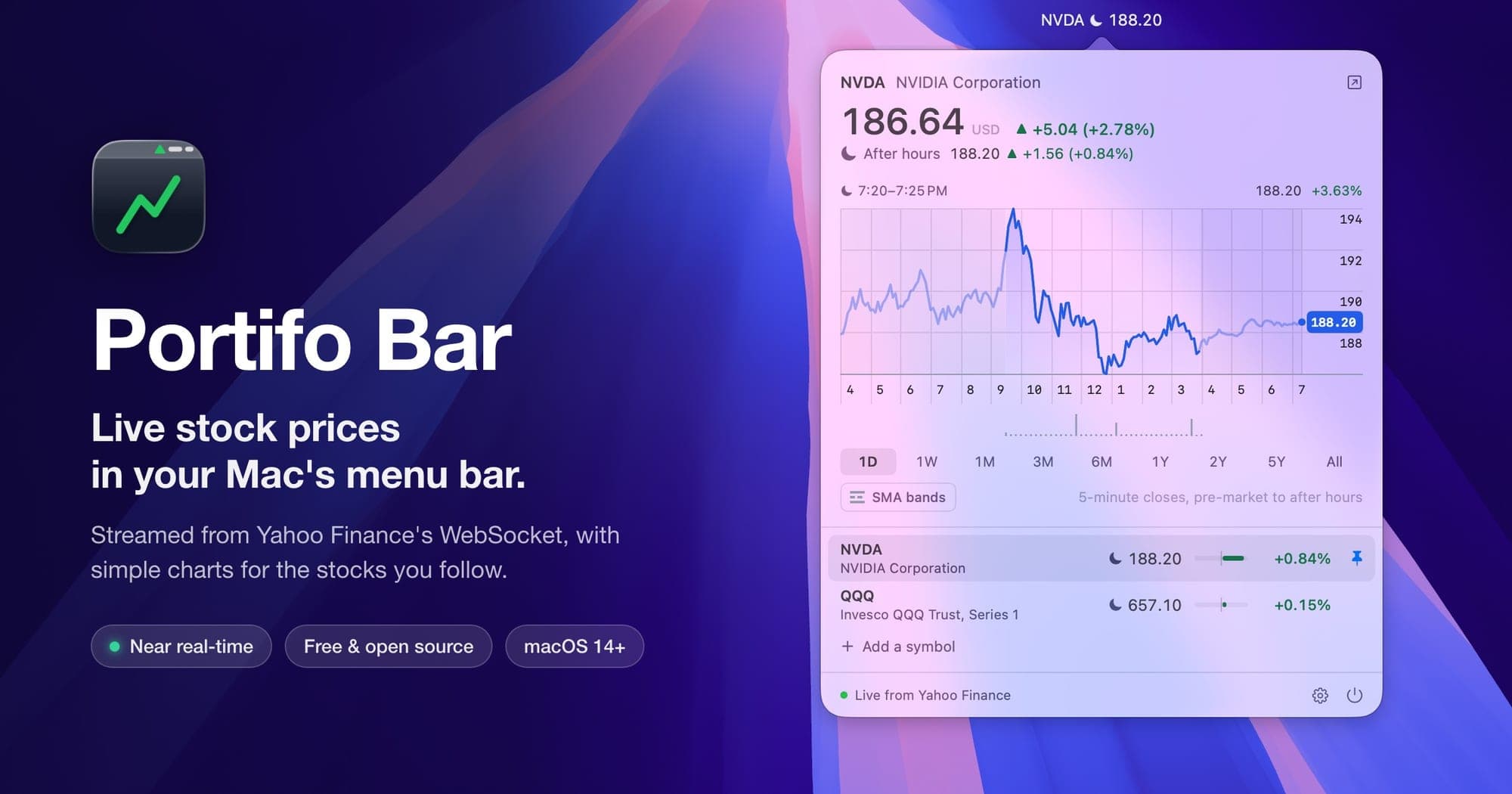
November 5 was a crazy day in the stock market. NVIDIA was swinging hard, and I wanted to get in. The problem was that I also had a full day of work.
Watching a stock while you work is a bad deal. You keep a Yahoo Finance tab open, switch to it every few minutes, and end up doing neither job well. I wanted the price somewhere I could see it without switching windows, the way I see the clock in the corner of my screen.
So I built Portifo Bar, a small Mac app that puts live stock prices in the menu bar. I pinned NVIDIA there, kept working, glanced up when I needed to, and got in at $181.97 a share.
What it does
- Prices in the menu bar. Pin the symbols you care about, and each one shows its latest price and the day's move. Pre-market, after-hours and overnight prices get a sunrise, a moon, or a moon and stars, so you always know which session you're looking at.
- A chart one click away. Click the price to see the chart for the day, from pre-market to after hours, or zoom out to a week, a month, a year, or all time. Hover over the chart, or use the arrow keys, to read the price and volume at any point.
- A watchlist. Add stocks, indexes, crypto, currencies and futures by ticker (
AAPL,^GSPC,BTC-USD) or by name (shopify). Each row has a small bar comparing its move to the day's biggest mover, so you can see what's moving at a glance. - SMA bands. Turn these on to draw the 200-day moving average, with bands 5, 10 and 15% above and below it. A chip tells you how far the price is from the average. When a stock falls hard, it's a quick way to see how far it has dropped compared to where it traded for most of the year.
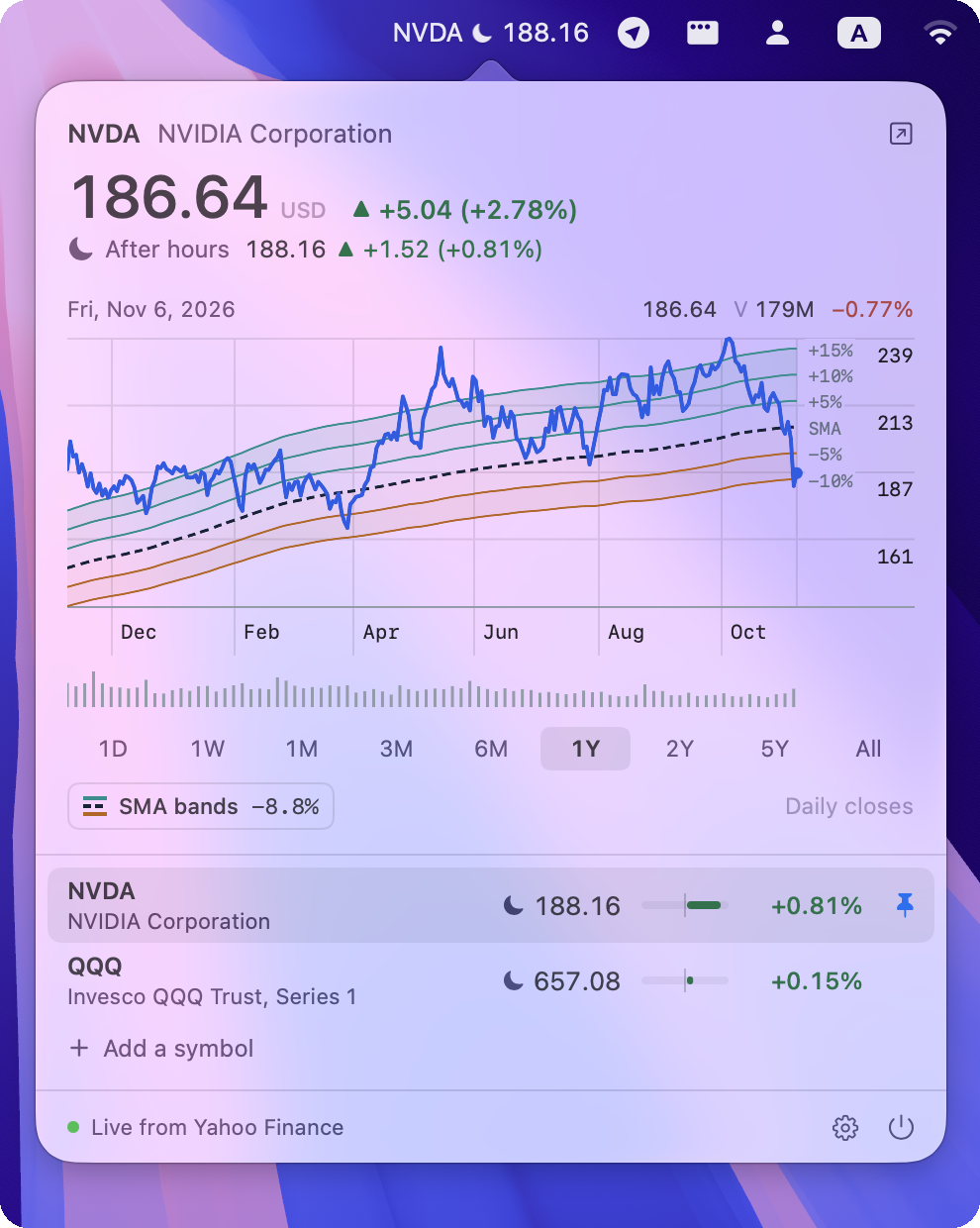
NVIDIA over the past year, 8.8% below its 200-day average.
Keeping up with the market
Prices come from Yahoo Finance, so there's no account or API key to set up. The app listens to the same live stream that finance.yahoo.com uses, which pushes every trade as it happens. On a calm day, that's under a second behind the market.
That day wasn't calm, and the stream fell 20 to 50 seconds behind. So the app also asks Yahoo for the latest prices every 30 seconds, and for each symbol it shows whichever price is newer. That keeps it within about half a minute of the market, even on a day like that.
Install it
You need macOS 14 Sonoma or later, on Apple silicon or Intel. Open Terminal and run:
curl -fsSL https://raw.githubusercontent.com/meysius/portifo-bar/main/install.sh | sh
This puts Portifo Bar in your Applications folder and opens it. Run the same command again to update.
The app isn't notarized by Apple, so macOS refuses to open it if you download it in a browser. The script downloads it with curl, which avoids that. If you'd rather install by hand, the README explains how.
Once it's running:
- Click the price in the menu bar to open the popover.
- Click Add a symbol and type a ticker or a company name.
- Click the pin on a row to show that symbol in the menu bar.
- Open Settings (the gear) and turn on Launch at login.
Free and open source
Portifo Bar is free, MIT-licensed, and written in native Swift with no dependencies. It reads the same Yahoo data as Portifo, my portfolio tracker, and draws its charts the same way.
The code is on GitHub. If something breaks, open an issue.
Portifo Bar isn't affiliated with Yahoo. Its prices are for information, and nothing in this post is investment advice.